How Assistive Technology Improves Creative Expression
Opening paragraphs
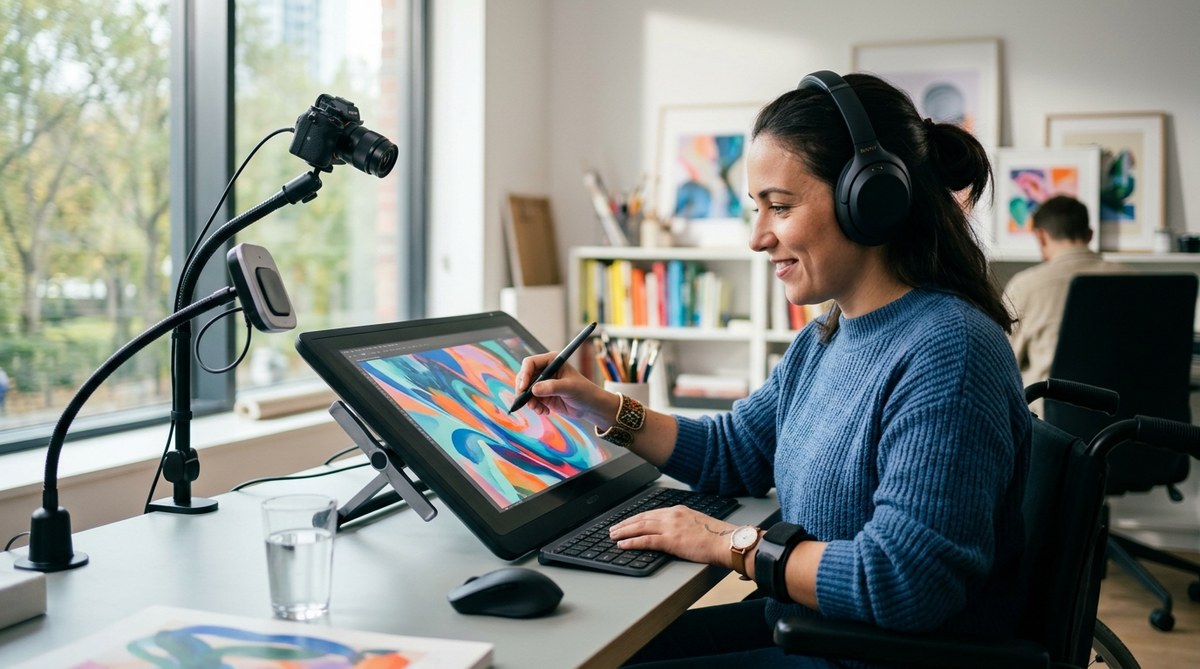
Creative expression is not one size fits all. For artists with disabilities, the canvas can feel closed off by physical barriers, communication hurdles, or nerve wracking uncertainty about whether a tool will work. That is where assistive technology comes in as a powerful partner. From eye tracking to adaptive keyboards, from voice controlled interfaces to AI assisted drawing, assistive technology opens new routes to creativity. It gives artists control, expands what is possible, and invites more voices into the world of art and culture. At disabilitiesartsexualitiesconf.org, we explore inclusive arts and expression, and we know that technology is not a substitute for talent it is a pathway that helps talent find its most authentic form. In this article we will explore how assistive technology improves creative expression, the tools that are making real differences, and practical steps to begin or expand your own creative practice.
What is assistive technology in the arts
Assistive technology in the arts refers to tools and systems that help people with disabilities participate in creative activities that might be difficult or impossible otherwise. These tools are not a single device but a spectrum of hardware, software, and workflows designed to fit different abilities, goals, and environments. The aim is to reduce barriers and increase autonomy so that artists can communicate ideas, emotions, and stories more clearly.
Key ideas to keep in mind:
– Assistive technology is personal. The best setup often combines several devices and apps tailored to an individual’s strengths.
– It is a support, not a replacement. Technology amplifies what a person can do rather than doing the work for them.
– Accessibility benefits everyone. Features like speech to text, simplified interfaces, and adjustable contrast often help all users, including beginners and those in different contexts.
How assistive technology intersects with inclusive arts and expression
- It enables diverse bodies to partake in creative rituals, from sketching to sculpture to performance.
- It supports collaboration by providing common tools that teams can use despite differences in ability.
- It helps artists express identity and sexuality through forms and modalities that feel most true to them.
- It creates new audiences who see their own experiences reflected in accessible art making.
Types of assistive technologies for disabled artists
There is no single device that fits all artists. Instead, there are categories of technology designed to support different kinds of creative work.
Input devices
- Eye tracking systems that allow drawing or selecting color palettes by gaze.
- Sip and puff switches for moment to moment control of brushes, tools, or software functions.
- Large or switch accessible keyboards and mice optimized for comfort and precision.
- Joysticks and trackballs that provide smooth control for digital art programs.
Output and ergonomic tools
- Adaptive brushes, styluses, and grip aids that reduce strain and improve precision.
- Adjustable easels and mounting rigs to position tools comfortably for long sessions.
- Headphones and tactile feedback devices that support audio driven art and performance.
Software and interfaces
- Voice control and speech to text for narrative writing, captions, or command based drawing.
- Screen reader compatibility and captioning features for multimedia art projects.
- High contrast and scalable interfaces that reduce visual fatigue and improve focus.
- AI assisted art tools that can suggest color harmony, generate textures, or translate sketches into refined forms.
Assistive technologies for music and performance
- Digital audio workstations with accessible shortcuts and screen reader friendly layouts.
- Automatic transposition and tempo control for composers with motor impairment.
- Motion capture and gesture control that translate movement into sound.
Data and creative management
- Personal dashboards that organize palettes, brush settings, and project notes in accessible formats.
- Cloud based project sharing that supports collaboration while protecting privacy and accessibility.
Tools for creating art
Different artists will gravitate toward different tools. Here are some common tools that are making a difference across visual arts, writing, and performance.
Visual arts and drawing
- Eye tracking drawing applications that convert gaze into strokes.
- Adaptive pens and pressure sensitive styluses for fine line work.
- Adjustable color wheels and palettes that allow color selection with minimal motion.
- 3D printing and haptic feedback devices that bring sculpture into reach.
Writing, poetry, and storytelling
- Speech to text for drafting prose, poetry, and scripts.
- Text to speech for editing and hearing your work in progress.
- Simplified editorial interfaces that guide structure and flow without overwhelming options.
Music and sound design
- Accessibility focused DAWs with keyboard shortcuts and screen reader compatible menus.
- Assistive MIDI controllers and foot pedals for hands free composition.
- Visualizers and real time audio feedback that support non literal or sensory based creativity.
Performance and multimedia
- Wearable tech that captures breath, movement, or eye gaze to drive live visuals.
- Projection mapping tools with accessible controls to design immersive environments.
- Tactile interfaces and vibrotactile feedback for audience and performer interactions.
Software and applications for art
The software landscape for assistive art is broad and constantly evolving. Here is a snapshot of categories and what they can do for creative practice.
Accessibility focused creative suites
- Programs with adjustable text size, contrast, and screen reader support to help writers, editors and designers.
- Interfaces that allow voice commands to switch tools, adjust brush size, or move around a canvas.
AI assisted design and drawing
- Tools that suggest composition adjustments, generate texture packs, or help translate rough sketches into finished renders.
- AI based color palette suggestions that respect accessibility guidelines and individual preferences.
Collaboration and sharing
- Cloud platforms that enable multi user editing with accessible commenting and version control.
- Project management tools designed with universal design in mind to help teams coordinate creative projects.
Open source and educator friendly options
- Free or low cost tools that schools and community groups can adopt to teach inclusive arts.
- Documentation and tutorials that emphasize accessibility from the start.
Impact on creativity
Assistive technology can unlock new forms of creative expression and expand the range of stories artists can tell. Here are some of the most impactful outcomes.
Increased autonomy
- Artists gain control over their process from concept to final piece.
- Fewer barriers means more time for experimentation and iteration.
New modalities of expression
- Movement and sound tied to visual outcomes create cross modal artworks.
- Text, image, and music can be integrated in innovative ways that reflect diverse experiences.
Enhanced collaboration
- Shared tools and accessible workflows enable teams with mixed abilities to co create more effectively.
- Remote collaboration becomes more feasible, broadening the pool of potential partners.
Greater audience reach and inclusion
- Accessible formats make works available to people with different abilities.
- Inclusive spaces for viewing and participating in art events expand community engagement.
Personal and community impact
- Artists report increased confidence and a stronger sense of belonging in arts communities.
- Shared visibility helps reduce stigma and demonstrates the value of inclusive practice.
Overcoming physical limits
For many artists creativity thrives when barriers are not the defining feature of the process. Here is a practical framework to overcome physical limits through assistive technology.
- Start with a professional assessment
- An occupational therapy or assistive technology evaluation can identify tools that align with your goals and physical capabilities.
- Create a flexible toolkit
- Build a small set of reliable devices (for example an adaptive keyboard, an eye tracking system, and a voice control software) that you can combine in different ways.
- Pilot and iterate
- Try devices in real world settings, note what works, and adjust setups to reduce fatigue and maximize precision.
- Seek training and support
- Look for workshops or mentors who specialize in accessible arts to learn best practices and shortcuts.
- Build a sustainable practice
- Create routines that respect your energy levels and incorporate downtime to prevent strain.
Testimonials and real world voices
While every artist has a unique journey, hearing from others who have integrated assistive technology into their practice can be inspiring.
Voices from the community
- “Eye tracking opened doors for me. I can compose digital drawings the same way I once thought in my head.”
- “A switch driven workflow allowed me to create large scale works with less shoulder pain and more focus on color and composition.”
- “Voice control helped me draft stories and then I could refine them with a traditional editor once the initial draft existed in print.”
Case study sketches
- Case A: A visual artist with limited hand mobility uses a combination of adaptive pen grips and color palette presets to create detailed ink studies. The project grew into a series exhibited at a local gallery with captions describing the process and tools used.
- Case B: A musician and visual artist collaborates with an AI assisted art tool to generate textures for 3D sculpture, then uses a switch interface to perform live projection mapping during a community performance.
Note that these portraits illustrate practical outcomes of assistive technology and do not replace the value of the artist’s voice or the complexities of each project.
Barriers to accessing and using technology
Despite the promise of assistive technology, real world access can be uneven. Here are common barriers and some strategies to address them.
Cost and funding
- Many devices come with significant price tags, and ongoing software licenses add to the cost.
- Strategies: explore disability benefits programs, care and arts grants, or community funded equipment libraries. Start with a prioritized list of essential tools to minimize upfront investment.
Training and confidence
- Learning new tools can feel overwhelming and fear of failure can hold people back.
- Strategies: seek hands on workshops, peer mentorship, or one on one coaching. Start with short, supervised sessions and build gradually.
Accessibility gaps
- Some software interfaces are not fully accessible with screen readers or keyboard navigation.
- Strategies: prioritize tools that advertise accessibility features and look for open source options with active accessibility communities.
Availability and support
- Local equipment libraries and maker spaces may have limited hours or inventories.
- Strategies: join or form a community art lab, apply for equipment loans, or use online tutorials and remote support.
Online safety and predatory requests
- The online arts space can expose artists to predatory behavior or unsafe requests.
- Strategies: implement privacy controls, publish clear boundaries for commissions, and seek guidance from trusted organizations on digital safety.
Safety and online inclusion
In our digital era, safe and respectful online environments are essential for creative communities. The arts world must address predatory online requests and ensure that online spaces are accessible and welcoming to disabled artists.
- Set clear boundaries for commissions, collaborations, and personal information.
- Use secure platforms that provide moderation, reporting tools, and accessibility options.
- Share resources about digital safety and privacy with community members to empower informed decisions.
- Promote inclusive policies that welcome artists of all abilities and backgrounds.
Future developments and potential solutions
Advances in assistive technology continue to reshape how artists create and share work. Here is what to watch for.
- More affordable, modular devices
- Wearable and plug in tools designed to be easily customized for different projects.
- AI enhanced accessibility
- AI that supports rapid prototyping, texture generation, or layout suggestions while respecting user control and consent.
- Cloud based collaboration
- Tools that allow multiple artists to work together on a single piece with accessible interfaces.
- Open standards
- Increased compatibility across devices and software reduces the need for bespoke setups.
- Inclusive education and funding models
- Programs that specifically fund inclusive arts practice and provide training for educators and community leaders.
Practical guide to getting started
If you are new to assistive technology or looking to expand your practice, here is a straightforward path.
Step 1: Clarify your goals
- What kind of art are you most excited to create?
- Which barriers are most limiting right now?
- What would a successful outcome look like in six months?
Step 2: Explore a starter toolkit
- Pick one input device (for example an adaptive keyboard or a switch) and one output tool (such as a graphic tablet with adjustable sensitivity).
- Add one software solution that aligns with your needs (for instance a voice control app or an eye tracking drawing program).
Step 3: Seek evaluation and guidance
- Contact an assistive technology professional or an occupational therapist who specializes in the arts.
- Do a short trial period with devices that can be easily swapped.
Step 4: Build a small, sustainable practice
- Schedule regular practice times and track progress.
- Create a reflection routine to document what worked and what did not.
Step 5: Share and connect
- Join inclusive arts communities and share your process and outcomes.
- Look for collaborations that celebrate diverse abilities and experiences.
Case examples of projects and collaborations
- Community mural with adaptive brushes and a shared digital planning space to accommodate multiple abilities.
- A short film created using a combination of voice over narration, AI assisted editing, and accessible color grading tools designed for low vision artists.
- A digital zine produced collaboratively with artists who use eye tracking and switch interfaces, with captions and accessible design.
Inclusivity in arts spaces
Inclusive arts spaces are more than just accessible buildings. They are communities where artists with disabilities can thrive, learn, and mentor others.
- Hire diverse voices to shape programming and accessibility policies.
- Provide quiet spaces, flexible scheduling, and materials with clear, readable instructions.
- Offer mentorship programs pairing emerging artists with experienced creators who use accessible tools.
- Ensure exhibitions include accessible formats such as tactile guides, large print captions, and audio descriptions.
How this topic connects with disability, arts, and sexuality
The intersection of disability, arts, and sexuality is rich and complex. Creative tools can support the expression of sexuality through performance, visual storytelling, and intimacy oriented art. Accessibility measures ensure that these conversations can be shared in safe, affirming environments. Our site welcomes posts addressing predatory online requests and discusses how assistive tech can help protect privacy and consent in digital spaces. We believe inclusive art practice should honor all identities and experiences, and technology is an ally in making that possible.
Conclusion
Assistive technology is a bridge between intention and realization. It helps artists with disabilities translate vision into tangible art while preserving agency, autonomy, and voice. The field continues to grow with new devices, software, and community driven practices that emphasize accessibility, collaboration, and experimental creativity. Whether you are an emerging artist seeking options or an established practitioner looking to expand your toolbox, there is a pathway to greater creative expression through assistive technology. By embracing new tools, sharing experiences, and building inclusive spaces, we can widen the world of art to reflect the full spectrum of human creativity.
If you would like more resources or want to share your own story about assistive technology and creative expression, consider contributing to the Inclusive Arts & Expression section on disabilitiesartsexualitiesconf.org. We welcome voices from all abilities and backgrounds, and we are here to support your creative journey every step of the way.

- james