How Adaptive Typing Tools Support Inclusion in the Digital Workspace
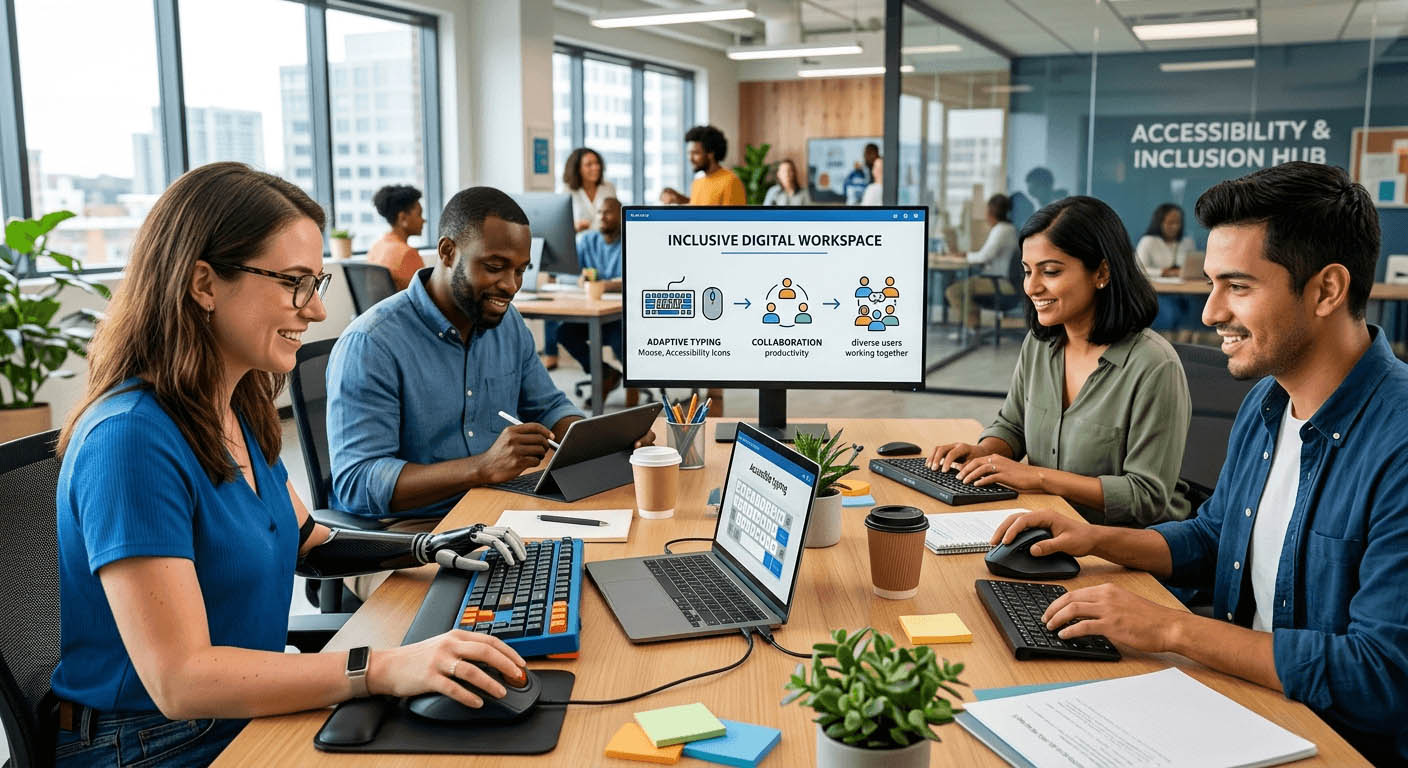
Typing is one of the most routine things we do online. Yet for millions of people, it is anything but routine. Motor impairments, neurodivergence, chronic pain, and limited hand mobility can turn a basic digital task into a daily obstacle. The digital workspace was not designed with everyone in mind. But that is changing, slowly and meaningfully, through flexible tools that meet people where they actually are.
Key Points
- Standard typing tools exclude a significant portion of users by design.
- Practicing with personally meaningful text builds real communication skills faster.
- Tracking character output helps neurodivergent users manage cognitive load.
- Number row training is a critical gap for people using non-standard or assistive keyboards.
- Adaptive digital tools are not extras. They are the foundation of genuine participation.
Why Standard Typing Tools Often Fall Short
Most typing practice platforms are built for speed. They target office workers chasing 80 words per minute. The prompts are generic. The metrics are narrow. The interface assumes a standard QWERTY keyboard operated by two hands with full dexterity.
That assumption fails a huge portion of the population. Someone using a one-handed keyboard. Someone managing tremors. Someone with ADHD who loses focus entirely on nonsense sentences about foxes and lazy dogs. Someone who types with a mouth stick or an eye-gaze device. These are not edge cases. They are part of every digital community, every workplace, every classroom.
Inclusion in the digital workspace means building tools that adapt to the user. Not tools that require the user to adapt to them. And that shift is already underway.
Practicing with Content That Actually Means Something
One of the most powerful things a typing tool can do for neurodivergent users is let them choose what they type. Generic prompts create an extra layer of cognitive friction. When the content is unfamiliar or uninteresting, attention drifts faster. Errors increase. Confidence drops. The whole exercise starts to feel pointless.
Running a custom text test changes that dynamic entirely. A user with dyslexia can paste in a paragraph from a book they love. Someone with autism can practice typing scripts they will actually use in real conversations. A person recovering from a stroke can work with sentences from their own routines and relationships.
This is not just about motivation, though motivation matters enormously. It is about building genuine muscle memory with content that has direct, real-world application. When the text you practice with mirrors the text you use to communicate, the transfer of skill is immediate and meaningful.
Personalised practice also reduces the anxiety that comes with performance-based tools. Many adaptive users report that standard typing tests feel like tests in the worst sense of the word. High stakes. Timed. Judgmental. A custom content approach reframes typing practice as communication rehearsal, which is exactly what it is.
Tracking Output Without Losing Track of Yourself
For many neurodivergent users, particularly those with ADHD, anxiety, or processing differences, the act of writing can become overwhelming quickly. One of the most effective strategies for managing this is breaking output into visible, countable chunks.
Using a character counter is a simple habit that carries significant weight in this context. Knowing exactly how many characters you have typed, or how many remain before hitting a limit, gives users a concrete handle on an otherwise abstract task.
Think about someone composing an email for the first time after a traumatic brain injury. Or a student with executive function challenges trying to stay within a submission word count. Or someone who uses augmentative and alternative communication (AAC) and needs to plan their typed output carefully before sending. For all of these users, a character counter is not a minor convenience. It is a cognitive scaffold. It transforms a vague task into a measurable one, which is a meaningful shift for anyone who struggles with self-regulation or estimation.
That principle applies directly to output-tracking tools. They are not optional add-ons for power users. They are a baseline feature that removes barriers for users who need clear, visible feedback to function well in digital environments.
The Number Row Gap That Assistive Keyboard Users Face
Numbers appear everywhere in digital communication. Dates, phone numbers, prices, reference codes, addresses. Yet for people using non-standard keyboards, voice-to-text with manual correction, or adaptive input devices, the number row is often the least practised part of the entire keyboard.
Standard touch-typing courses focus almost entirely on the alpha keys. Numbers get a brief mention if they appear at all. For users who rely on assistive technology, this gap compounds over time. Reaching the number row requires a different hand position, a different cognitive map, and sometimes a physical movement that is genuinely difficult for someone with limited wrist mobility or hand tremor.
Targeted number row practice gives users a structured way to build that specific skill. Breaking it out into focused, repeatable exercises lets adaptive users work on their weak points without the pressure of a full typing assessment. It is targeted, low-stakes, and directly useful for everyday digital tasks.
This kind of granular, modular practice reflects what inclusive tool design looks like in action. Not one-size-fits-all. Specific, flexible, and respectful of where each user starts.
What Meaningful Adaptive Support Looks Like in Practice
There is a tendency to treat accessibility features as workarounds. As patches applied to a system that was never built for everyone. But well-designed adaptive tools are not workarounds. They are the system functioning correctly.
Here is what genuine support looks like across different access needs:
- Content flexibility: The ability to practice with user-chosen text, not pre-set prompts, so cognitive engagement stays high and skill transfer is direct.
- Output visibility: Tools that show character or word count in real time, helping users manage cognitive load and stay within communication parameters.
- Modular skill focus: Breaking the keyboard into distinct sections so users can target specific gaps without being overwhelmed by the full layout.
- Low-pressure environments: Practice modes that do not penalise errors or impose rigid time limits, creating space for users to work at their own pace.
- Adaptive device compatibility: Tools that function across input methods, not just standard desktop keyboards, so users with switch access, mouth sticks, or one-handed devices are fully included.
- Progress tracking: Simple, clear metrics that show improvement without reducing the user’s experience to a single score or grade.
Disability, Digital Access, and the Right to Participate
Typing is not just a skill. For many people, it is their primary voice. The ability to send a message, complete a form, write a post, or respond to a colleague is the ability to participate. To be counted. To communicate on your own terms.
When digital tools are built without adaptive users in mind, the message is clear even if unintentional: this space was not made for you. Inclusive design pushes back against that message directly. It says every person deserves tools that fit their body and their brain.
This matters especially in professional and civic life. Remote work, online education, digital healthcare, and community participation all depend on typing. A user who cannot access flexible typing support is not just inconvenienced. They are systematically excluded from spaces they have every right to occupy.
Organisations working at the intersection of disability, arts, and digital access understand this well. Adaptive typing tools are one piece of a larger infrastructure of inclusion, alongside accessible interfaces, screen reader compatibility, captioning, and centering disabled voices in the design process itself.
Building a Typing Practice That Respects Your Brain and Body
Confidence is not a soft outcome. It shows up in reduced error rates, longer sustained practice sessions, and greater willingness to attempt new digital tasks. For adaptive users, confidence is often the first casualty of inaccessible tools, and the first thing that returns when the right tools appear.
Here are the hallmarks of a typing tool that genuinely builds confidence:
- It meets the user where they are, not where the tool expects them to be.
- It does not shame errors or make failure feel permanent.
- It offers granular control over what to practice and for how long.
- It provides meaningful feedback without overwhelming the user with data.
- It works with existing assistive technology, not against it.
- It respects pace, whether that is slow and deliberate or fast and sporadic.
- It allows the user to define success on their own terms.
These are not radical design demands. They are basic principles applied with genuine care for the full range of human experience.
That independence is not a luxury. It is a right. And every flexible, adaptive, thoughtfully designed digital tool is a concrete step toward making that right real for more people.
The digital workspace is not finished. It is always being built. The question is whose needs shape the design decisions being made right now. Adaptive typing tools are a small but meaningful example of what happens when that question is taken seriously. Custom content, visible output tracking, and modular keyboard practice do not sound revolutionary. But for a user who has spent years fighting tools that were never built for them, they represent something genuinely important: a space that was designed with them in mind.
That is what inclusion in the digital workspace actually looks like. Not a checklist. Not a badge. A set of real tools that real people can use to show up, communicate, and participate fully in their digital lives.

- lisawalker
- How Adaptive Typing Tools Support Inclusion in the Digital Workspace 10 July 2026
- Making Event Schedules Easier to Follow for Disabled Audiences 19 March 2026
- How Feet Picture Requests Target People with Disabilities Online 19 January 2026
- Guide to Disability Benefits Calculators and Assistive Technology Tools 14 January 2026
- What Learning Disabilities Are and How They Impact Education 10 July 2025